Snagged operates the checkout setup on its machines. You use the dashboard to maintain retailer profiles, save product requests and review results. That is a managed ACO service, rather than Walmart bot software you need to install and operate yourself.

Walmart
Live
Confirm coverage for the product, offer and regional storefront with the team. Include whether your link is on Walmart.com or Walmart.ca; do not assume that a matching name means the same listing, price, shipping eligibility or setup. A live service label does not mean every offer is supported or currently in stock.
Before copying a product into Watchlist, inspect who sells it and who fulfills it. Walmart’s Marketplace seller guidance explains how to find the seller beside “Sold by” or “Sold and shipped by.” A Marketplace seller can also use Walmart’s fulfillment centers, so fulfillment by Walmart does not necessarily mean Walmart is the seller.
Copy the product URL, full title and item identifier, then note the seller or offer requirement you care about. Confirm that requirement directly with the Snagged team. Notes communicate a request; they are not an automatic seller filter or a guarantee that every Marketplace offer can be checked out.
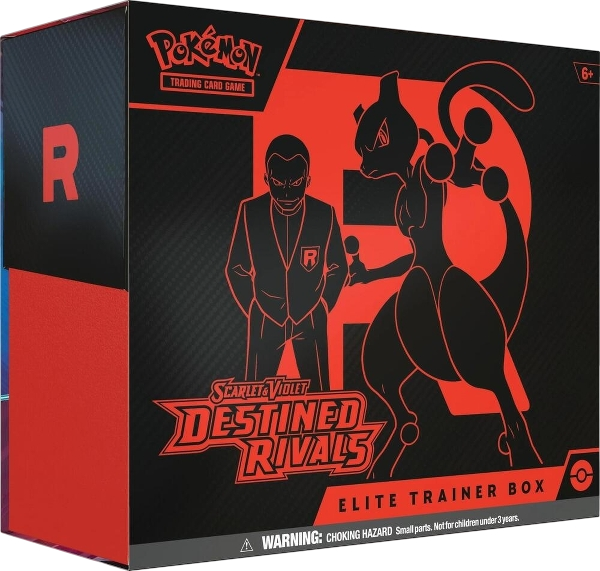
For trading cards, inspect the stated condition and contents, not just the image. Walmart has Marketplace condition labels, including categories for trading cards. Keep a sealed retail product distinct from an individual card, repack, mixed lot or other offer with a similar title.
One listing might sell one Elite Trainer Box; another might sell a bundle containing several products. Your requested quantity refers to the item offered by that listing. Two bundles are two sale units, even when each bundle contains multiple boxes or packs.
- Exact product
- Keep the expansion, product type, edition and listed contents together. A booster bundle and an Elite Trainer Box are different targets.
- Price limit
- Enter an explicit maximum price. An empty limit in Snagged means “No limit,” not the price you remember seeing earlier.
- Total budget
- As a hypothetical example, 2 units at $69.99 each have a $139.98 merchandise subtotal. Allow separately for the applicable retailer tax and shipping, membership and Snagged’s service fee.
If your budget is a strict all-in ceiling, clarify it with the team before the drop. Do not assume that a single item-price preference also describes every tax, shipping charge or service invoice.
- Complete membership setup. The 14-day trial requires a payment method. It renews as Pro at $39.99/month unless canceled before the trial ends; eligible checkouts have a separate service fee.
- Prepare a Walmart profile. Review contact, shipping and billing information, then confirm any retailer-account requirement for the particular drop. Use an account and payment method you are authorized to use.
- Save the product request. Select Walmart, add the exact link and identifier, and enter your quantity and price limit. Include useful seller, edition and fulfillment details in the notes.
- Confirm the setup. Ask the team to verify the offer, storefront and readiness. Creating a watchlist entry does not by itself start a checkout task.
Review the current plans and fees alongside the first-drop setup guide. Profile allowances differ by plan.
Review the recorded attempt in Snagged, then follow the retailer’s order confirmation and tracking. A successful attempt does not guarantee that the order will ship. If an order came from a Marketplace seller, its seller details and available contact options can be found in Walmart’s order history.
When you have enough of an item, update the watchlist and confirm with the team that any active tasks have stopped. For a canceled order, submit the order reference through Snagged’s cancellation workflow so the service invoice can be reviewed. Retailer returns and refunds remain a separate process.
Does Walmart support mean every Marketplace seller is supported?
Does Snagged require Walmart+ for every drop?
Can I close the dashboard during a Walmart drop?
Your next step
Make your next drop easier to manage.
Review the plans, choose your retailers and set up the products you actually want.