Searching for a Pokémon Center bot can lead to software you operate yourself or to a managed auto checkout service. Snagged is the managed option: you keep your profiles and product requests current, and the team runs the checkout setup. Your computer does not need to stay on.

Pokémon Center
Live
Confirm the specific release and storefront before preparing for a drop. The status above is Snagged’s service status, not an inventory check. Snagged is independent of Pokémon Center and does not promise a queue position, accepted order or shipment.
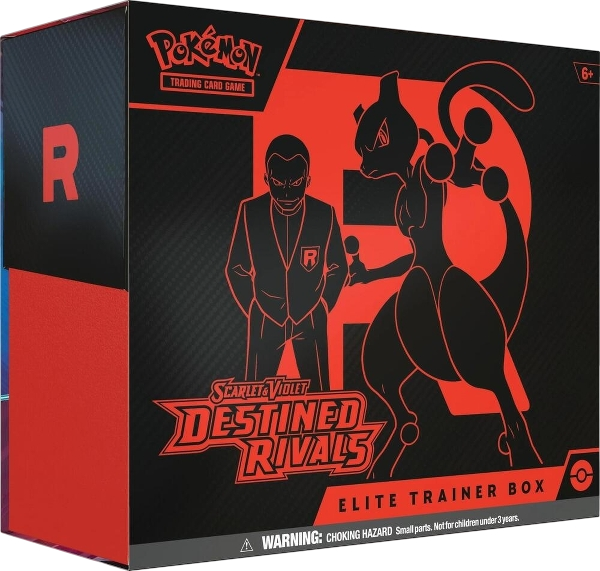
A standard Elite Trainer Box and a Pokémon Center Elite Trainer Box from the same expansion are different product targets. Pokémon’s explanation of Pokémon Center exclusive ETBs shows that their contents can differ from standard versions. Read the exact listing instead of assuming that every edition includes the same packs, accessories or promo cards.
For your watchlist, use the complete listing title, product URL and identifier when available. Include the expansion, “Pokémon Center” edition wording where applicable, and any specific variant. A product photograph alone is not enough to distinguish similar boxes.
Record what one sale unit contains. A box, a booster bundle and a case should not share one vague request such as “Pokémon cards.” If you want one sealed box, request one unit of that exact box listing, not the number of booster packs inside it.
Keep the regional storefront with the product request. Pokémon Center’s virtual queue guidance directs customers to shop within their region and follow the purchase limits displayed on the product page. A similar product name on another storefront is not confirmation of the same stock, price or order eligibility.
Check the displayed currency, destination requirements and complete shipping address. Ask the Snagged team to confirm coverage for the link and region you actually intend to use. Serving US and Canadian members does not make every regional product available to every address.
Identify whether you want an available item or a preorder. Pokémon Center’s preorder FAQ explains that payment can be authorized when the preorder is placed and charged when it ships. An authorization or checkout result is not a shipping confirmation.
Keep the card valid and funds available for later processing. Check the retailer’s current payment and cancellation rules before requesting a preorder. Editing a saved Snagged profile later does not amend a previously placed retailer order or its payment details.
Pokémon Center’s restock guidance says its support team cannot confirm when or whether an unavailable item will return. Follow official product announcements; this page does not publish live stock or a restock timetable, and Snagged cannot promise a retailer’s shipping date.
- Activate membership. Complete the required payment setup for the 14-day trial. It renews as Pro at $39.99/month unless canceled before it ends. Eligible checkouts carry a separate service fee.
- Save your Pokémon Center profile. Check contact, delivery, billing and payment details. Confirm any account or release-specific requirements with the team.
- Set an exact target. Add the regional product link, edition, maximum price and quantity. An empty price limit records “No limit”; use a deliberate budget and account separately for applicable charges.
- Confirm readiness. Check coverage and setup with the team. Saving the request records your preferences but is not confirmation that a task is already running.
The setup guide covers the dashboard steps. The broader Pokémon TCG auto checkout guide helps compare product requests across supported retailers.
Check Snagged’s recorded result and the retailer’s order history. Pokémon Center explains that an order can have partial cancellations or multiple shipments. Review the affected items and tracking references rather than assuming one package represents the whole order.
If an item is canceled, send the relevant details through Snagged’s cancellation workflow for a service-invoice review. If you no longer want additional attempts, update your watchlist and ask the team to stop active tasks. Neither action automatically changes an order already held by Pokémon Center.
Does an exclusive ETB have the same contents as a standard ETB?
Can a Pokémon Center bot guarantee that I get the release?
Does changing my profile update an existing preorder?
Your next step
Make your next drop easier to manage.
Review the plans, choose your retailers and set up the products you actually want.