If you are comparing a Target bot with an auto checkout service, the main difference is who operates the setup. With Snagged, you manage your product requests and purchase details on the website. You do not install or keep a desktop bot running.

Target
Live
The label above reflects Snagged’s service catalogue, not Target’s inventory. Confirm the particular release, listing and fulfillment method with the team before a time-sensitive drop. Snagged is independent of Target; its support does not override Target’s purchase limits or terms.
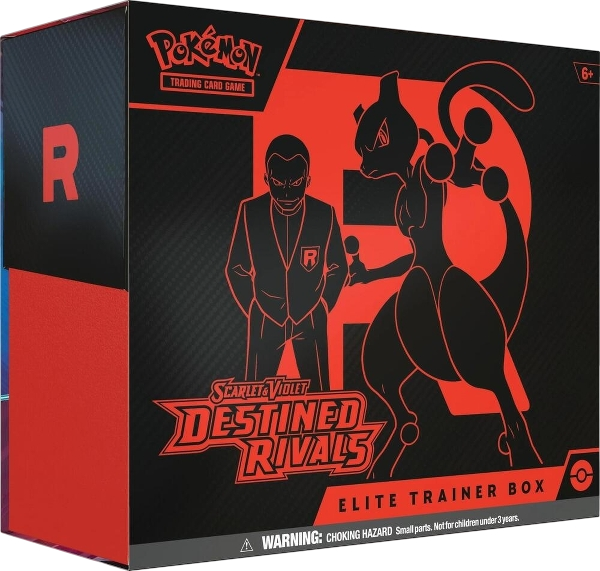
A search for a Pokémon Elite Trainer Box can return different expansions, editions, bundles and sellers. Start on the intended product page and copy the full title and URL. Add its TCIN in the watchlist’s SKU / TCIN field when available.
Target’s specifications can show a TCIN, UPC and DPCI separately. For example, its Team Rocket Mewtwo tin listing identifies the TCIN as 94687408. Keep the identifier with its original listing instead of treating these different numbers as interchangeable.
Read the contents and any variant wording as well. A listing that says styles may vary does not give you a guaranteed character or artwork choice. Record the exact edition you want, and confirm any restriction that matters before the team prepares the request.
Decide how you want to receive the item before requesting checkout. Target describes Order Pickup as an online order collected at a local store. Seeing an item at one store is not the same as confirming that the listing can ship to your address.
For shipping, review the destination and item restrictions on the product page. Target’s shipping guidance explains that eligibility and delivery estimates can depend on the item and destination. Check any shipping charge or minimum-order condition before setting your budget.
Tell the Snagged team which fulfillment method you need and, for a pickup request, the intended store. Confirm that the specific setup supports it. A note in Watchlist records your preference; it does not activate a pickup workflow or change Target’s eligibility.
- Activate your membership. Sign in with Discord and complete payment setup. The 14-day free trial requires a payment method and renews as Pro at $39.99/month unless canceled before it ends. Separate service fees apply to eligible checkouts.
- Save a Target profile. Check the shipping address, billing details and payment card. If the drop requires a retailer account, confirm that requirement and prepare the appropriate account with the team.
- Add the exact item. Select Target in Watchlist, add the listing and TCIN, and enter your maximum price and requested quantity. Leaving maximum price empty records “No limit.”
- Confirm readiness. Agree on the product, account requirements and fulfillment method before the drop. A saved watchlist item alone is not confirmation that a checkout task has started.
For a sealed bundle, one requested unit means the listing’s sale unit, not every pack inside it. Review the full setup checklist for profile imports and optional Discord checkout updates.
Open Checkouts to inspect successful, failed and declined attempts. Target’s availability guidance notes that adding an item to a cart does not reserve it. Follow Target’s own order confirmation and fulfillment updates too: a recorded success does not guarantee shipment or pickup readiness.
If you no longer want further attempts, update your watchlist and contact the team to stop any running tasks. If Target cancels an order, submit a cancellation claim with the relevant order details so Snagged can review the service invoice or credit. That review does not itself cancel or refund a Target order.
Does this page show Target Pokémon restock times?
Can I use a Canadian shipping profile for every Target item?
Does pausing Watchlist cancel my Target order?
Your next step
Make your next drop easier to manage.
Review the plans, choose your retailers and set up the products you actually want.